GB WhatsApp for PC & Windows (2026) – Free Install Guide
GB WhatsApp is an Android phone app, but you can also use it on your Pc/Windows. You can use an Android emulator to use this modified version of GB WhatsApp. An Emulator helps to run Android apps on your PC. In this guide, you will learn the installation process, performance tips, answers to your queries, and about using GB WhatsApp on PC/Windows.
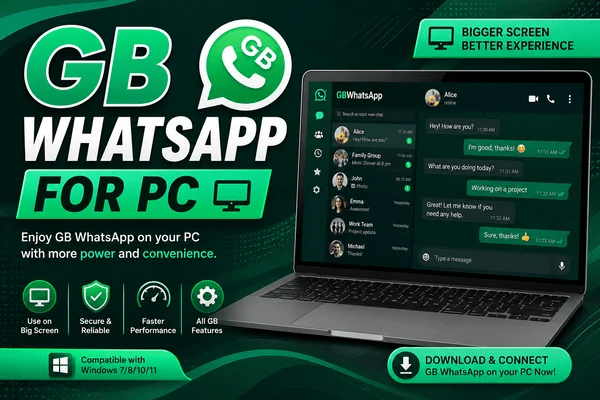
Table Of Contents
- Requirements
- Best Android Emulator
- How To Install GB WhatsApp On PC
- Can You Use GB WhatsApp Without an Emulator?
- Performance Tips
- FAQs
- Conclusion
What You Need
The following you need before installing GB WhatsApp on PC.
- A PC with Windows 10 or Windows 11 operating system
- Internet connection
- Android emulator
- Latest version of GB WhatsApp APK
- Mobile number for verification
PC Requirements
| Component | Recommended |
| Operating System | Windows 10/11 |
| RAM | 8 GB (4 GB minimum) |
| Storage | At least 10 GB free |
| Processor | Intel or AMD with virtualization enabled |
Best Android Emulator For GB WhatsApp
You can use a different Android emulator to run GB WhatsApp.
LDPlayer
It's a lightweight emulator that offers:
- Quick startup
- Usage of low RAM
- Ots perform well on older PCs
Best For:
Mid-range PCs.
BlueStacks
It's one of the best emulators that you can use. Its offers:
- Fast and easy APK installation
- Stable Performance
- Get frequent updates
- Well compatibility
Best For:
It's good for beginners and for those who need a reliable and simple Android emulator.
MEmu Play
If you want to use more than one app at a same time you can use this simple MEmu Play emulator, which offers:
- Install APK files quickly
- Customised keyboards control
- Multitasking
NoxPlayer
This emulator performs smoothly, its offer features:
- Stable and smooth
- Allows you to change Android settings according to your needs.
- Run multiple Android instances.
How To Install GB WhatsApp On Pc
You need to follow these steps to install GB WhatsApp for PC/Windows:
Install an Android Emulator
- First, you need to choose your preferred Emulator from LDPlayer or BlueStacks.
- After this, follow the instructions that appear on the screen and complete the installation.
Sign In To The Emulator
- Now launch the emulator.
- After that, complete the initial requirements, like Android setup. Sign in with a Google account if using the Play Store. But if you download it manually using an APK file, it is not required.
Download The GB WhatsApp APK
- Now, from the GB WhatsApp download page, download the GB WhatsApp Apk file.
- After this, save the APK file on your computer.
Install The APK
Open the emulator and select any of the following methods:
- Use the Install APK feature of the emulator.
- Drag and drop the APK
- Browse to the downloaded APK.
Now wait; the installation will complete.
Open GB WhatsApp
- From the emulator, launch GB WhatsApp.
- Grant permissions if any permissions are needed.
Verify Your Phone Number
- Now provide your mobile number.
- You will receive the code through a call or message.
- Enter that code to activate your account.
If you have the option of backup, you can restore your chats.
Can You Run GB WhatsApp Without An Emulator?
No. You can not run GB WhatsApp Apk on PC without emulator.
GB WhatsApp is an Android app (APK), but Windows runs desktop apps (such as EXE or MSI). The Windows operating system does not support running APKs.
An Android emulator helps provide the necessary Android OS environment for GB WhatsApp to run.
Performance Tips
For enhanced efficiency when using GB WhatsApp on your computer:
- Activate hardware virtualization if your system is capable (Intel VT-x / AMD-V).
- Allocate a minimum of 4GB RAM to your emulator if you have enough memory.
- Update your emulator regularly.
- Close all unnecessary programs running in the background.
- Have an SSD for faster loading times.
- Enable hardware acceleration if available in your emulator.
- Allocate at least two CPU cores if possible.
Advantages Of Using GB WhatsApp On PC
- Big screen to chat and use media
- More comfortable typing using a real keyboard
- Quick file handling
- Drag and drop media sharing through the emulator
- Multitasking capabilities while working
Limitations
- Needs an Android emulator
- Consumes more system resources than the regular WhatsApp desktop version
- The performance depends on the hardware of your computer
- The updates in the emulator might sometimes cause compatibility issues
Conclusion
Using GB WhatsApp on a Windows computer through an emulator, for instance, BlueStacks or LDPlayer, is very easy. Just install the emulator and import the GB WhatsApp APK, then proceed to verify your phone number to begin using the application.
The key to using GB WhatsApp efficiently is keeping it and your emulator up to date, allocating sufficient system resources, and ensuring that your PC meets the required specifications.