How to Freeze or Hide Last Seen in GB WhatsApp (2026)
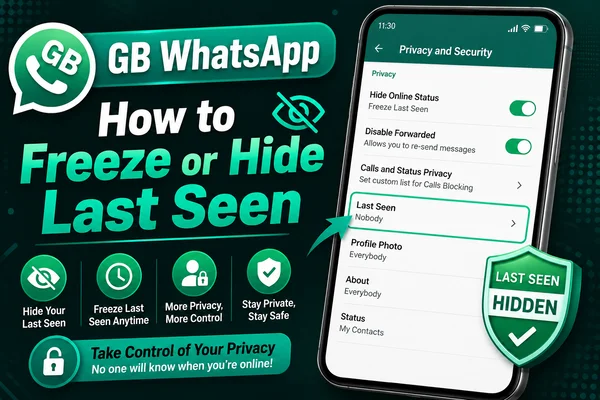
GB WhatsApp is widely used due to extra privacy options and versatile functionality. One of the most valuable tools is hiding or freezing the user's last seen. This feature allows managing online activity in full freedom, which is impossible with the official version of WhatsApp.
There are plenty of users who are concerned about their privacy during chat sessions. They do not want someone to track their activity. In GB WhatsApp, it is easy to achieve desired results. Users can either totally hide last seen or freeze it at a certain moment. All these options are convenient to use daily.
What is Last Seen?
The last seen function shows the precise moment when the user was active on WhatsApp. This information appears below the name in chats and helps determine the exact time of the user's availability.
It is possible to hide the last seen in the official app. However, GB WhatsApp provides some additional options and increases flexibility for users interested in privacy.
Difference Between Hide and Freeze Last Seen
Knowing the differences between these functions is crucial.
Hide Last Seen: This setting helps you conceal your last seen. Nobody will be able to see when you were active.
Freeze Last Seen: This setting fixes your last seen at a certain time. Your status won't change despite any actions you make within the app.
If you need privacy and invisibility, then the first option is better. However, the second is suitable if you don't want to look like an absent-minded person.
How to Hide Your Last Seen in GB WhatsApp
This action is easy to perform in a few minutes.
- Install the modified app on your smartphone and open its main window
- Click on the three-dot icon in the upper-right corner of the screen
- Navigate to GB Settings
- Press Privacy & Security
- Turn ON the Hide Last Seen toggle switch
Now you can freely communicate because nobody knows your status.
How to Freeze Your Last Seen in GB WhatsApp
You may fix your status in a few moments as well.
- Start GB WhatsApp on your phone and access its main screen
- Open the three-dot icon in the top-right corner and go to GB Setting
- Access Privacy & Security
- Scroll down and tap Freeze Last Seen
- Turn it ON
Your current last seen will now be locked. Your online status will not update. Other people will still see the same time even if you stay online or start typing a message or send a message.
When Should You Use These Options?
It is essential to know when to use either of these options. Below are the situations when you should consider using any of them.
Use Hide Last Seen if:
- You need to remain offline
- You want the app to reflect a fixed status
- You need to have controlled visibility rather than full invisibility
All these options are great. The difference lies in the purpose they are meant to solve.
Additional Privacy Tools
There are many privacy tools included in GB WhatsApp, which you can use together with the above options.
Hide Online Status: Others won't know if you are online
Hide Blue Ticks: People will not see blue ticks
Hide Typing Status: This prevents people from knowing that you are typing
Anti-Delete Messages: This feature helps to read deleted messages
Combining all these aspects, you can be entirely in charge of your chats and activities.
Key Advice for GB WhatsApp Users
- Close and reopen the app when changes do not take effect right away
- Make sure that the app is up-to-date to prevent problems
- Avoid toggling between hide and freeze modes frequently
- Clear the cache if the application slows down
All these actions will help maintain the app’s smooth functioning.
Conclusion
It should be clear from the information provided above that GB WhatsApp offers great options to control one's privacy with ease. Hiding or freezing the time of last seen enables you to have full control over your availability status. Depending on your preferences, you may choose whether to remain unseen or have the same fixed time of last seen forever.