How to Fix GB WhatsApp Banned Account – Temporary & Permanent
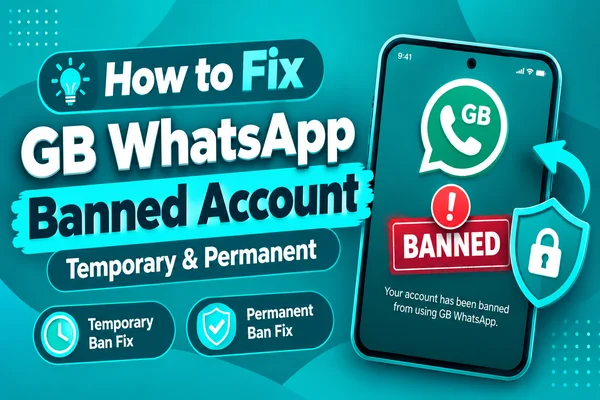
GBWhatsApp app is a modified version of the official WhatsApp. It provides additional features such as Ghost Mode, Anti-Delete Messages, custom themes, and much more advanced privacy. Because it is an unofficial app, one of the most common problems that users face is their account being banned from using the WhatsApp service.
Many users search for different solutions after receiving a message, "Your account is temporarily banned," or realizing that they cannot access their chats anymore. In some cases, the account gets blocked for a couple of hours only. In other cases, users risk losing access to their account permanently.
Here is some good news: not every ban is permanent. Understanding the reasons why WhatsApp blocks the account and following the right steps for recovery can help you to solve the problem. In this article, you will learn about the difference between temporary and permanent bans and how you can recognize them and prevent future restrictions on your account.
Why WhatsApp Bans GB WhatsApp Accounts
WhatsApp made it clear that GB WhatsApp is a modified client and is not officially supported. Because such apps are created independently instead of by Meta. Using these apps may violate the WhatsApp Terms of Service.
Although numerous people use GB WhatsApp without encountering any problems. There is always a chance that WhatsApp will detect the presence of modified apps and block the user.
Use Of Unofficial Apps
The most common cause of getting blocked is using an unauthorized version of WhatsApp. In these apps, GB WhatsApp, FM WhatsApp, YoWhatsApp, and WhatsApp Plus are not officially distributed, and Meta cannot verify their security or reliability.
Violations of WhatsApp's Terms of Service
Once you install GB WhatsApp on your smartphone, you are basically us modify version of the original WhatsApp. According to WhatsApp, using such apps violates its Terms of Service. As a result, you may receive a temporary warning or account restrictions.
Automated Detection System
WhatsApp uses automated mechanisms to detect suspicious behavior and unsupported apps. The mechanism for these bans is not described by the developers. These bans are based on the use of unsupported versions of the app or on some suspicious activity. As the detection system may change over time, no unofficial app can provide reliable protection against bans.
Outdated GB WhatsApp Versions
Older versions of GB WhatsApp may become unsupported as WhatsApp upgrades. Using old versions of the app increases the chances of various issues, such as login problems or receiving warnings about the account. Updating the app makes the application more compatible, but this process still does not reduce the risks of using an unofficial client.
Suspicious Account Activity
The ban is not necessarily related to GB WhatsApp use. If the following suspicious account activity is noticed, accounts get banned:
- Sending large numbers of spam messages.
- Generating a lot of broadcasts in a short time.
- Using bots.
- Getting reported by other users many times.
- Violating WhatsApp Community Guidelines.
Even accounts that use the official WhatsApp app can get banned because of violating its rules.
How to Check If You're Banned (temporary vs permanent)
All restrictions on using WhatsApp are the same. Before solving the banning problem, it is necessary first to understand what kind of ban your account has: temporary or permanent.
Temporary Ban
This restriction displays a countdown timer within the app with the following message: "Your account is temporarily banned." It means that you cannot send and receive any messages till the end of the timer period.
The common signs of a temporary restriction include:
- Countdown timer.
- You can still access your phone number.
- The account works again after the restriction has expired.
- WhatsApp may suggest you install the official app before the end of the timer period.
For many users, it is enough just to uninstall GB WhatsApp, install the official WhatsApp application, and verify your phone number after the timer expiration period.
Permanent Ban
Permanent restriction looks more severe than a temporary one because there is no countdown timer displayed. Some other messages are also displayed, like "This account is not allowed to use WhatsApp" or “Access to this account has been permanently restricted.”
Indications that you have been permanently banned from WhatsApp include:
- No countdown timer.
- Login attempts continue failing.
- Verification fails to unlock your account.
- A notification appears on your account informing you that your account is unable to access WhatsApp.
Most of the time, it is much harder to resolve permanent bans. While it is possible to get support from WhatsApp support for account recovery, but its never guaranteed.
Fix for Temporary Bans
Solution for Temporary Ban
The temporary ban is the most typical type of restriction faced in GB WhatsApp accounts. In many situations, such a restriction is fixed by going back to the official WhatsApp app. The following everything according to its recommendations.
Wait Until the Countdown Is Over
When you see a timer with the message "Your account is temporarily banned,". Don’t try to log into your account several times during the countdown period. This may delay the process of restriction resolution. You need to wait until the countdown reaches zero.
Back Up Your Conversations
If you can log in to your GB WhatsApp account, create a backup of your conversations before doing anything else. Saving your messages and photos will help you save your data while switching to another version of WhatsApp.
Remove GB WhatsApp From Your Phone
Once you have created a backup of your data. Uninstall GB WhatsApp from your Android device. Removing the modification is advised because the use of the modified app can lead to further restrictions.
Install the Official WhatsApp
Download the official WhatsApp app from the Google Play Store, confirm your phone number, and restore your backup. If you are temporarily restricted, moving back to the official app gives you full access after the period of restriction ends.
Update Before Installing
If you still want to continue using the GB WhatsApp app, do not install an older version because it may be incompatible with the current version of the WhatsApp server and put you at risk for more restrictions.
Fix for Permanent Bans
Fix a Permanent Ban
A permanent account ban is a serious issue. Because official WhatsApp permanently bans your account, you are no longer able to use it. Unlike temporary restrictions, there is no countdown timer, and reinstalling the app won't help.
Check for a Permanent Ban
First, it is important to identify whether you are permanently banned from using WhatsApp or if this is just a temporary restriction. You can understand it from the message that appears after you start the app.
Contact WhatsApp Support
If you believe that the account restriction happened by mistake, you can send a request to WhatsApp Support via their official app or website. Here is what you need to do to get a positive answer:
- Use the number associated with this account.
- State the reason for your restriction.
- Don't submit several requests within a short time.
- Wait for the official answer before doing something else.
Keep in mind that WhatsApp doesn't review all appeals, and you cannot be sure about account recovery.
Remove Unofficial Apps
If your appeal gets positive results, remove GB WhatsApp and any other modifications of the application before signing in. Returning to the official app reduces the chance that another ban will occur shortly after your account has been restored.
Restore Your Conversations
If you make a backup before getting banned, you can restore the chats if your account gets verified. Restoration is possible depending on the type of backup; it must be compatible with the version of WhatsApp you install.
If Restoration Is Not Possible
WhatsApp can tell you whether the ban is permanent and does not accept your appeal. In such cases, it is not possible to get the banned account back. Users decide to create a new WhatsApp account with a new phone number, but this action must be taken after considering WhatsApp Terms of Service and using the official application.
How to Avoid Getting Banned Again
If you would like to decrease your chances of being banned again by WhatsApp. Here are some tips to follow. Although nothing can provide you with complete safety, it may help you minimize risks.
Use the Official Application
The most secure way to communicate on WhatsApp is through the official WhatsApp app available on the Google Play Store or Apple App Store.
Update GB WhatsApp
If you decide to use GB WhatsApp, make sure you have the most recent version installed.
Avoid Suspicious Behavior
To not get your account into trouble, follow these guidelines:
- Do not send bulk or repetitive messages.
- Do not use any bots or other automated messaging software.
- Send fewer broadcasts.
- Do not add strangers to your groups without their consent.
- Follow WhatsApp Terms of Service.
Protect Your Account
Enable Two-Step Verification, regularly back up your chats, and download APK files from safe websites only. Do not use applications that promise you 100% anti-ban guarantees; no unofficial app can provide such protection.
Conclusion
Using GB WhatsApp may increase the chances of getting your account banned because GB WhatsApp is not an official application. However, you can minimize the possibility of getting your account restricted by keeping the app up to date, not acting like a spammer, enabling two-factor authentication, and downloading the APK files from trusted sources only.